Map Wallet Service to Tenant
Platform Wallet Service Mapping
The Katsu platform comes with prebuilt services that users (Tenants) can take advantage for seamless product development and easy whitelabeling.
Users on the Katsu platform are referred to as Tenants.
The following are services that are available for tenants on the Katsu platform:
- Platform Merchant Service [![sabi-api-docs/docs/userguide/merchant_service_mapping.mdx]]
- Platform Wallet Service
- Platform Registry Service
- Platform Trace Service [coming soon]
- Platform Reward Service [coming soon]
- Platform Search Analytics Service [coming soon]
- Platform Logistics Service [coming soon]
- Platform Data Exchange Service [coming soon]
- Platform Retail Census Service [coming soon]
- Platform Product Information Management Service [coming soon]
- Platform Help Center Service [coming soon]
Wallet Service
This service enables you as a tenant to integrate digital wallets into their products, allowing users to securely store, send, receive, and manage funds.
Key features include fund management, transaction history, optional multi-currency support, and advanced security measures like encryption and two-factor authentication.
Prerequisites
- Account Setup: Create a tenant account on Katsu and complete onboarding.
- Subscription Plan: Subscribe to a service plan that includes the Registration API.
- Compliance Review: Pass a legal and regulatory compliance check.
- API Access Request: Submit an application detailing the intended API use. Webhook Url ,Call back url.
- Agreement to Terms: Agree to Katsu’s API usage terms and conditions.
- Technical Readiness: Confirm the ability to integrate the API into your system.
To map the merchant service to your tenant space here are the steps to take:
-
Step 1:
- Log in to your tenant account with your verified email and password.
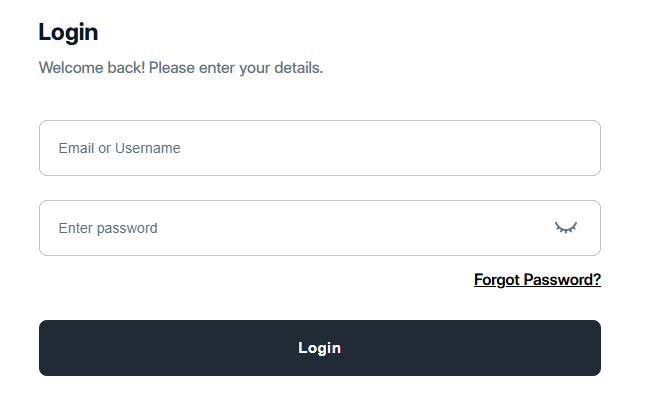
- Log in to your tenant account with your verified email and password.
-
Step 2
- Under Services select and enable the Platform Wallet Service
The list of services enabled should show as seen in the image below:
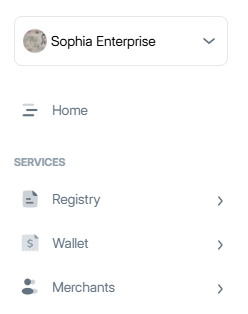
If you follow the few steps above, congratulation! You have successfully mapped or subscribed to the Platform Wallet Service and you are ready to start using the prebuilt functionalities that comes with this service.