Katsu-Web Space User Management
The Katsu platform offers users (tenants) a suite of tools such as Registry, Wallet and other product and space management tools to effectively run a business online.
Users on the Katsu platform are referred to as Tenant and every verified tenant has the ability to create a Tenant Space. A tenant space is a sub-customizable digital store that is under complete control of the space owner. In this tutorial, we’ll explore the Space User Management functionality of the tenant space.
Space User Management

The space user management functionality is found under Space Management. This is the area of the Katsu web platform where tenants can manage their space. Using the space user management functionality, tenants can add members with various role to their team.
Follow the steps below to add team members:
- Log in to your Katsu web with your user credentials (verified email and password)
- Scroll to Space Management
- Click on User Management
- Next, click on Teams
- On the upper right in the Teams area, click on the Add New button
- Fill the form with the required details including the role of your new team member
- Click on the Invite button
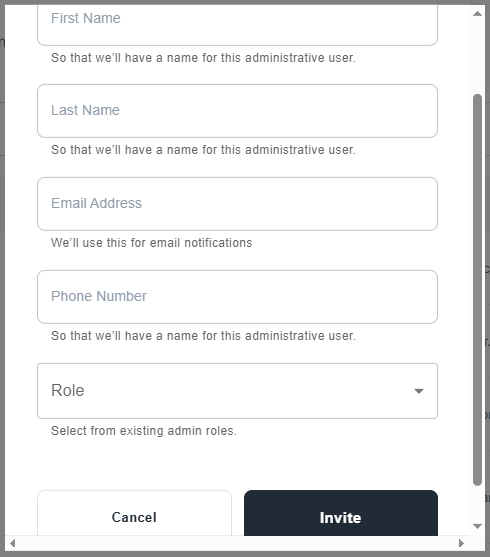
If you follow the steps as outlined above, you should see your new team member added to your space.
To disable, deactivate or edit a user permission, Click the three dotted icon.

If you follow till this point, you’ve learned about the Katsu Space management tool, how to add, disable, deactivate and edit user permission on Katsu web.